Raym — Interactive Terrain Generation with Marching Cubes
2025 · C · Raylib · Marching Cubes · Source · Marching Cubes · Raylib notes

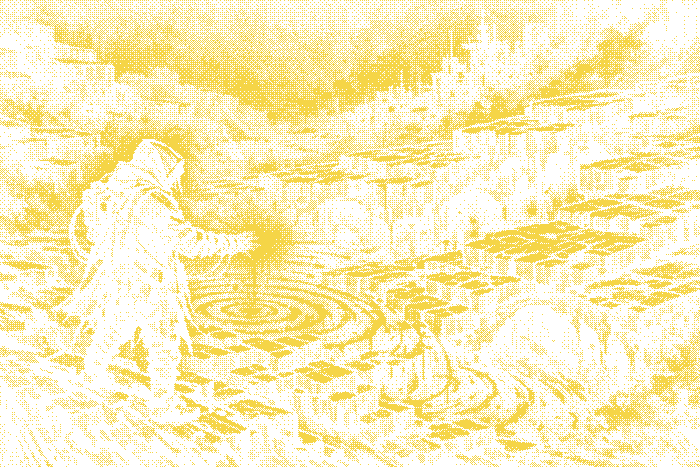
After years of writing code that runs behind APIs and dashboards, I wanted to get back to something visual and tactile. Raym is a small playground I built to explore real-time terrain generation in C with Raylib, using the classic Marching Cubes algorithm to turn a scalar field into a smooth polygon mesh you can walk around and reshape.
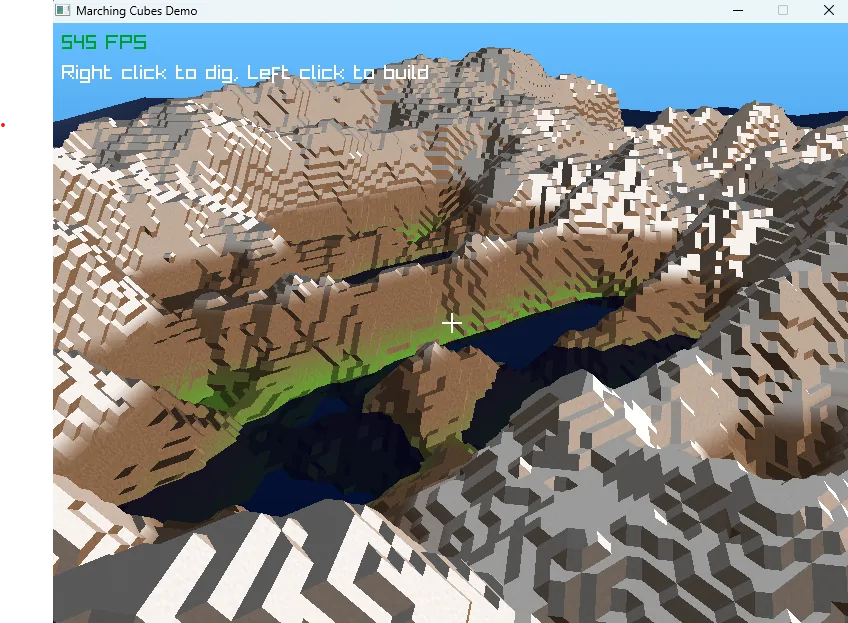
The working build: generated terrain, water, and the editing reticle in view.
Motivations
I love low-level graphics work. I had already played with OpenGL back in the Chip8 emulator days, but this time I wanted to skip most of the boilerplate and focus on the fun part: the algorithm, the feedback loop, the feeling of sculpting a world in real-time. Raylib turned out to be a great fit — it gets out of the way and lets you write straight C without ceremony.
Voxels, scalar fields, and marching cubes
Under the hood, the world is a 3D grid of scalar values — a scalar field. Each voxel stores a density, and the surface of the terrain is implicitly defined as the iso-surface where that density crosses a given threshold.
The Marching Cubes algorithm walks through every cell of the grid, looks at the 8 corner values, and picks one of 256 possible triangulations from a lookup table. The triangle vertices are linearly interpolated between corners to produce a smooth surface — no staircasing, no blocky Minecraft look.
typedef struct VoxelCorner;
// For each cell, compute a bitmask of which corners are "inside"
// the surface, then look up the triangles from the edge table.
int cube_index = 0;
for The initial density field uses layered sine and cosine height noise over x and z to produce rolling terrain. It is deliberately simple: the interesting three-dimensional changes come from editing the density volume afterward.
Interactive modification
The part I found most satisfying is the editing loop. You can cast a ray from the camera, find where it hits the surface, and then add or subtract density around that point — essentially sculpting the terrain in real time. The marching cubes mesh for the affected chunks is rebuilt on the fly.
A few tricks help keep it responsive:
- the world is split into chunks, so only the dirty ones get re-meshed;
- each triangle gets a face normal from the cross product of two edges;
- the brush applies a falloff curve so edits feel soft rather than stamped.
Build it and explore
The source repository uses CMake and fetches Raylib as part of the build. Once compiled, use WASD and the mouse to navigate, hold Shift to move faster, then use the left and right mouse buttons to add or remove terrain.
&&
What I learned
Writing this in plain C was a deliberate choice. It forced me to think carefully about memory layout, chunk ownership, and the boundary conditions between neighbouring chunks — issues you can handwave away in higher-level languages. The Marching Cubes lookup table also has a special kind of elegance: a dense piece of data that encodes a surprisingly deep geometric truth.
It’s the kind of project that doesn’t ship to production and doesn’t need to. It scratches the itch, keeps my graphics intuition sharp, and reminds me why I fell in love with programming in the first place.
Back to Experiments · continue with the terrain editing loop · Designing Scalar Fields for Procedural Terrain · Seamless Chunked Voxel Terrain · Home.